

搜索到
1
篇与
的结果
-
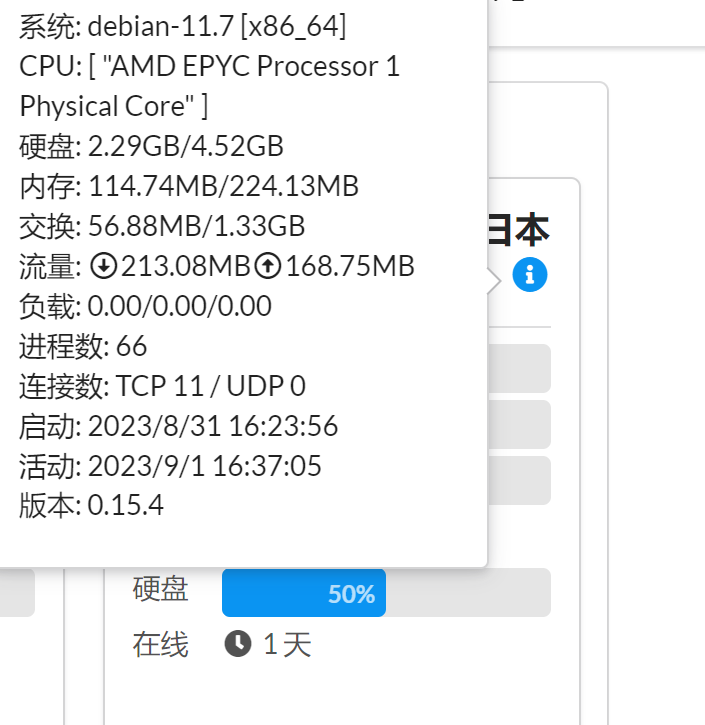
 256MB内存小鸡DD Debian11系统的方法 {lamp/}起因收了个WAP.AC家的1刀小鸡,256MB内存,我常用的DD系统脚本均不可用,显示内存不足而无法继续。经过翻阅资料找到了一个方法首先用此脚本DD debian9因为10和11默认的内核已经不支持如此小的内存,用此脚本先dd成debian9(默认4.9内核,对小内存支持很好,不会出现内存不够导致kernel panic)dd系统的地址如下:https://git.beta.gs/安装重装系统的前提组件:Debian/Ubuntu:apt-get install -y xz-utils openssl gawk file wget screen && screen -S osRedHat/CentOS:yum install -y xz openssl gawk file glibc-common wget screen && screen -S os如果出现异常,请刷新Mirrors缓存或更换镜像源。RedHat/CentOS:yum makecache && yum update -yDebian/Ubuntu:apt update -y && apt dist-upgrade -y使用(直接使用这个即可):wget --no-check-certificate -O NewReinstall.sh https://raw.githubusercontent.com/fcurrk/reinstall/master/NewReinstall.sh && chmod a+x NewReinstall.sh && bash NewReinstall.sh如为CN主机(部分主机商已不能使用),可能出现报错或不能下载脚本的问题,可执行以下命令开始安装.wget --no-check-certificate -O NewReinstall.sh https://cdn.jsdelivr.net/gh/fcurrk/reinstall@master/NewReinstall.sh && chmod a+x NewReinstall.sh && bash NewReinstall.sh选择Debian9,脚本完成后会自动重启,默认密码有提示,脚本执行的时候上面写了。debian9升级到debian10备份源软件源cp /etc/apt/sources.list /etc/apt/sources.list.bk修改成debian10的源nano /etc/apt/sources.list删除所有文件内的文字,填上下面的:deb http://deb.debian.org/debian buster main contrib non-free deb-src http://deb.debian.org/debian buster main contrib non-free deb http://deb.debian.org/debian-security/ buster/updates main contrib non-free deb-src http://deb.debian.org/debian-security/ buster/updates main contrib non-free deb http://deb.debian.org/debian buster-updates main contrib non-free deb-src http://deb.debian.org/debian buster-updates main contrib non-free 更新apt索引#apt update升级到debian10apt upgrade apt dist-upgradedebian10升级到debian11先将Debian10现有的补丁都打全apt update -y && sudo apt upgrade -y apt dist-upgrade备份原软件源cp /etc/apt/sources.list /etc/apt/sources.list.bak同样方法,将软件源替换成debian11的nano /etc/apt/sources.list删除所有文件内的文字,填上下面的:# deb cdrom:[Debian GNU/Linux 11.0.0 _Bullseye_ - Official amd64 NETINST 20210814-10:07]/ bullseye main #deb cdrom:[Debian GNU/Linux 11.0.0 _Bullseye_ - Official amd64 NETINST 20210814-10:07]/ bullseye main deb http://deb.debian.org/debian/ bullseye main deb-src http://deb.debian.org/debian/ bullseye main deb http://security.debian.org/debian-security bullseye-security main deb-src http://security.debian.org/debian-security bullseye-security main # bullseye-updates, to get updates before a point release is made; # see https://www.debian.org/doc/manuals/debian-reference/ch02.en.html#_updates_and_backports deb http://deb.debian.org/debian/ bullseye-updates main deb-src http://deb.debian.org/debian/ bullseye-updates main # This system was installed using small removable media # (e.g. netinst, live or single CD). The matching "deb cdrom" # entries were disabled at the end of the installation process. # For information about how to configure apt package sources, # see the sources.list(5) manual.重新update和full-upgrade,遇到对话框,yes/ok即可apt update apt full-upgrade更换内核(此步非常重要,否则无法启动):debian9升级的debian10默认内核为4.19,256M内存依然能正常启动,但是如果继续升级,debian11默认的5.10内核无法支持256M,我们就需要先把内核替换为cloud内核。cloud内核是专门为云环境所编译的内核,除去了一些云环境所不需要的驱动等。debian11用5.10的cloud内核可以再256M小内存上运行。cloud 内核的包名是 linux-image-cloud-amd64,可以直接从官方源安装:apt update apt install linux-image-cloud-amd64 -y若看到成功安装了5.10.xxxx-cloud-amd64内核即可。删除老内核,节省磁盘占用:dpkg --get-selections | grep linux找到除了5.10.xxxx-cloud-amd64以外的所有内核,用如下命令卸载:apt autoremove --purge linux-image-4.19.0-5-amd64 apt autoremove apt autoclean最后reboot重启。开机之后可以发现系统已经成功升级成debian11了